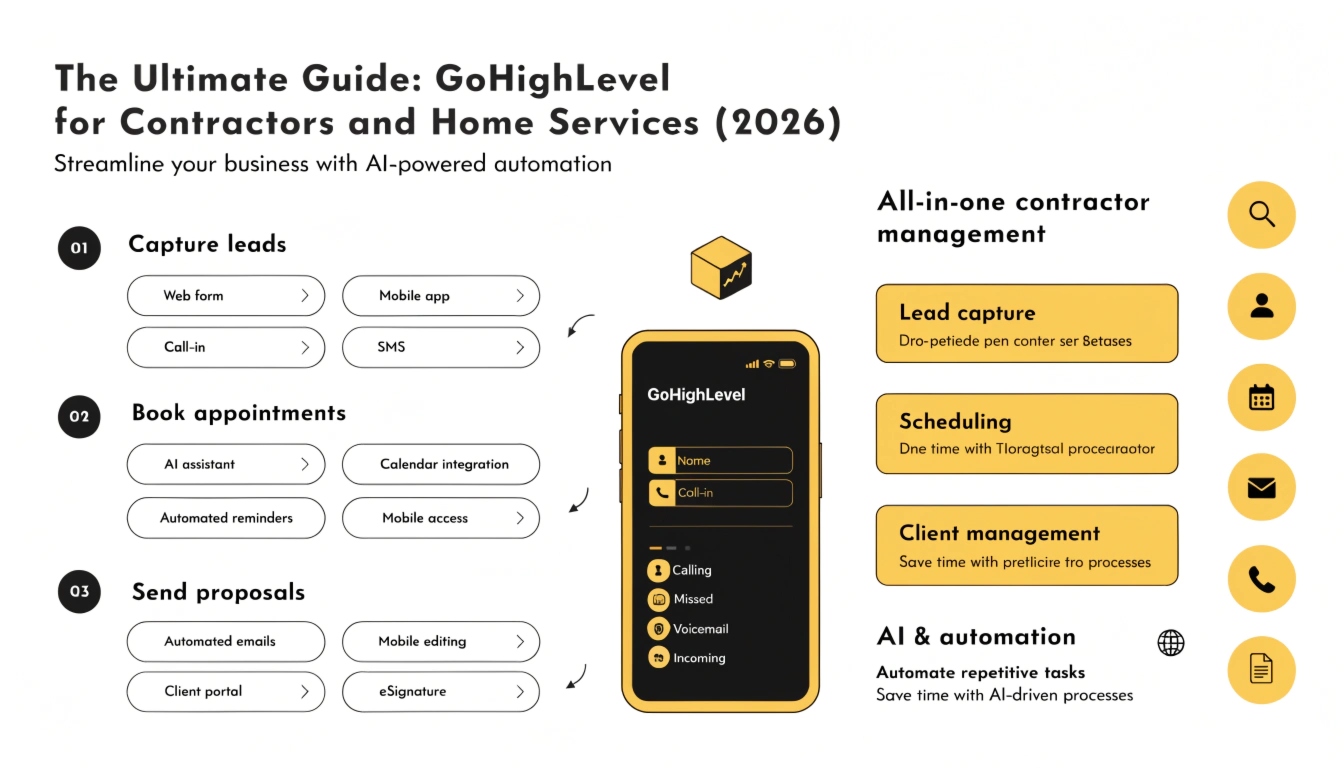
The Ultimate Guide: GoHighLevel for Contractors and Home Services (2026)
In 2026, a home service business doesn’t compete on price alone; it competes on speed. If a homeowner has a leaking pipe or a broken AC, they will call three different companies. The first one to reply and book the appointment wins the job.
Most contractors don’t have a “lead problem.” They have a “leaky bucket” problem. Leads fall through the cracks because the owner is on a job site and can’t answer the phone. This 2,000-word guide will show you how to use GoHighLevel for home services to automate your follow-up and turn every missed call into a booked job.
The “Missed Call Text-Back” (Your Highest ROI Feature)
The most expensive thing in a contracting business is a missed phone call. When you don’t answer, the lead immediately calls your competitor.
How it Works:
GoHighLevel detects when a call goes to voicemail or remains unanswered. It instantly triggers a GoHighLevel workflow that sends a text message to the caller.
The Message: “Hi, this is Mike from Rapid Plumbing. Sorry I missed your call! I’m on a job site right now. Do you need an emergency repair or a quote for a project?”
This simple text stops the lead from calling the next person on Google. It starts a conversation and keeps the lead “on the hook” until you can call them back.
Automating the Quote Follow-Up Sequence
Many contractors send a quote and then wait for the customer to call them back. This is where 50% of revenue is lost. In 2026, people are busy and they forget. You must chase the quote.
The 7-Day “Soft Nudge” Logic:
This sequence runs entirely on autopilot. You only step in when the customer replies with a question or signs the contract.
Designing a High-Converting “Instant Quote” Funnel
Stop using “Contact Us” forms that only ask for a name and email. In 2026, homeowners want instant gratification. Use a GoHighLevel funnel to give them a “ballpark” estimate.
The Funnel Steps:
Managing the “Field Team” with the GHL Mobile App
Your technicians aren’t in front of a computer; they are in their trucks. The GoHighLevel mobile app is their primary tool.
What the Team Can Do:
Reputation Management: The “Job Complete” Review Trigger
In the home services world, your Google rating determines how many “free” leads you get from Google Maps. You must automate your review requests.
The Automation:
When your technician marks a job as “Won” or “Closed” in the CRM Pipeline, GHL waits 1 hour and sends a text:
By asking while the positive experience is fresh, you will see a 300% increase in 5-star reviews compared to asking manually.
Using AI for Smart Lead Qualification
Not every lead is a “good” lead. Some people just want the cheapest price, and others are outside your service area.
You can use a GoHighLevel AI Voice Agent or an AI Chatbot to ask qualifying questions:
The AI then tags the lead as “High Priority” or “Low Priority” so you know exactly who to call first.
Reactivation: The “Slow Season” Savior
Every contractor has slow months. Instead of spending more on ads, you should “reactivate” your existing database.
The “Maintenance Check-up” Campaign:
In the fall, send a mass text to every customer who had an AC repair in the summer: “Hi [Name], it’s Mike. Winter is coming! We are doing $99 furnace safety checks this week to make sure your heat stays on. Want to grab a spot?”
Because these people already trust you, this campaign often generates $5,000–$10,000 in “found” revenue with zero ad spend.
Managing Deposits and Invoicing
No-shows are a problem for contractors too. If you spend an hour driving to a quote and the homeowner isn’t there, you lose money.
Use GHL to require a “Commitment Fee” or deposit for certain types of quotes. The system sends a Stripe payment link via text. Once they pay, the appointment is confirmed on your calendar. This ensures you only drive to see serious customers.
Twilio and A2P 10DLC for Contractors
Because you will be texting “Appointment Reminders” and “Heading your way” messages, you must ensure your Twilio compliance is perfect.
If your A2P registration is rejected, your “Missed Call Text-Back” will stop working. We recommend using the LeadConnector (LC) Phone System for contractors because it makes the registration process much simpler for non-technical owners.
Frequently Asked Questions
Can I connect GHL to my accounting software?
Yes. Using API Integrations, you can sync GHL with QuickBooks or Xero so that when a job is “Won,” an invoice is created automatically.
Does GHL replace ServiceTitan or Housecall Pro?
For many small to mid-sized teams, yes. GHL handles the marketing and CRM better. However, for massive teams needing complex “inventory management,” you might use GHL for the front-end marketing and sync it with ServiceTitan for the back-end.
How do I handle “Emergency” calls after hours?
You can set a “Time Delay” logic. If a call comes in after 6:00 PM, the AI Agent can answer, determine if it is a true emergency, and “Whisper” call your personal cell phone only if it’s urgent.
Ready to Automate Your Contracting Business?
Don’t let your hard-earned leads go cold while you’re on a ladder. If you want a professional “Contractor Snapshot” set up for your business, or a full audit of your current automation, let’s get started.