What a GoHighLevel AI Voice Agent Can Actually Do for Your Business (With Examples)
“AI voice agent” gets thrown around loosely enough that it’s worth being precise about what it actually means inside GoHighLevel, because the marketing language (“never miss a call again,” “AI that sounds human”) tends to promise more than any current system reliably delivers — and the gap between the promise and the reality is exactly where businesses end up disappointed after paying for a build.
Here’s a grounded look at what these agents genuinely do well, where they still fall short, and concrete examples of the situations where they’re worth building versus where a simpler automation (or a real person) is still the better call.
What an AI voice agent actually is
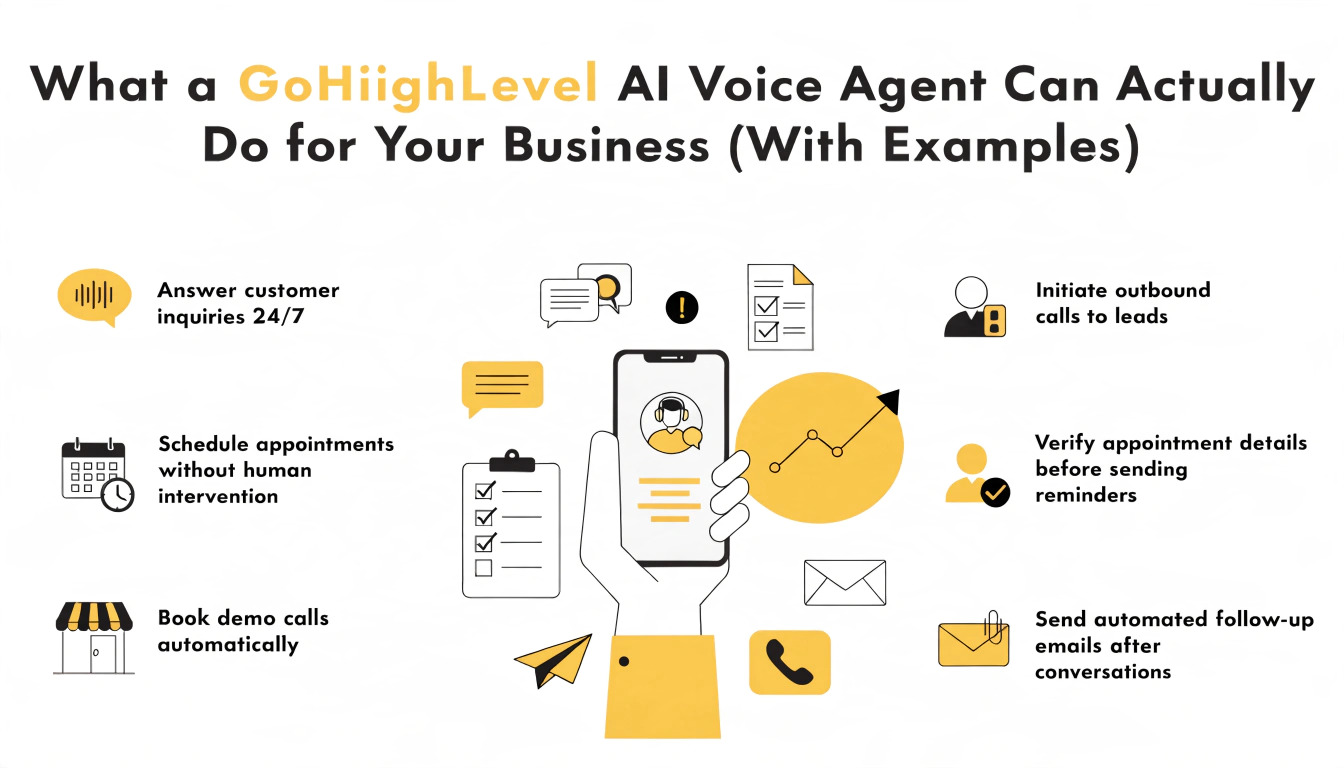
Inside GoHighLevel, an AI voice agent is a conversational system that can answer or place phone calls, follow a structured conversation flow, pull information from your CRM, and take actions — booking an appointment, updating a contact record, sending a follow-up text — based on what the caller says. It’s built on top of your existing pipelines and automations, not separate from them, which is what makes it more useful than a generic phone-tree IVR (“press 1 for sales”).
The agent isn’t improvising a free-form conversation the way a human would. It’s working from a defined script and decision tree that you (or whoever builds it) design — the flexibility is in how it interprets natural spoken language within that structure, not in its ability to handle genuinely open-ended conversation.
Read this: The Complete Guide to GoHighLevel CRM Setup (2026)
What it actually does well
After-hours and overflow call handling
This is the strongest, most reliable use case. A call that comes in outside business hours, or when every team member is already on another line, currently either goes to voicemail (which a large share of callers simply hang up on) or gets missed entirely. An AI agent can answer immediately, collect the caller’s basic information and reason for calling, and either book an appointment directly on your calendar or flag the lead with a summary for a team member to follow up on first thing the next business day.
Example: A home services company (plumbing, HVAC, electrical) gets a call at 9pm from someone with an emergency issue. The agent answers, asks qualifying questions (what’s wrong, is it urgent, address), and either books an emergency slot directly if one’s available or texts an on-call technician with the details — instead of the caller hanging up and calling a competitor who does answer.
Lead qualification before a human gets involved
For businesses where a large share of inbound calls are unqualified (wrong service area, budget mismatch, not actually ready to buy), an agent can ask the first few filtering questions before routing the call — or before deciding a callback is even worth a team member’s time.
Example: A coaching business running paid ads gets calls from people at very different stages of readiness. The agent asks two or three qualifying questions (current situation, timeline, budget range) and routes genuinely qualified leads straight to a booked call, while capturing lower-intent callers into a nurture sequence instead of consuming a salesperson’s time on a call that was never going to close.
Appointment confirmation and rescheduling calls
Outbound reminder or confirmation calls are a genuinely strong use case, because the conversation is short, predictable, and doesn’t require much flexibility — “confirming your appointment,” “would you like to keep this time or reschedule,” “here’s your new time” covers the overwhelming majority of what actually happens on these calls.
Example: A medical or dental practice uses an outbound agent to call patients the day before an appointment, confirm attendance, and offer an immediate reschedule option for anyone who can’t make it — reducing no-shows without tying up front-desk staff on repetitive confirmation calls.
FAQ and basic information handling
For the handful of questions that make up the bulk of inbound call volume for most businesses — hours, location, pricing ranges, whether you take a certain type of appointment — an agent can answer accurately and immediately, then offer to transfer to a human for anything more specific.
Where it still falls short
Genuinely complex or emotionally sensitive conversations. A caller who’s upset, confused, or dealing with a situation that doesn’t fit the defined conversation flow is where an agent’s limitations show clearly. These calls need to route to a human quickly, not get stuck in a script that doesn’t fit what’s actually happening.
High-stakes sales conversations. For anything involving real negotiation, objection handling that goes beyond a couple of pre-scripted responses, or a decision that depends on genuinely understanding someone’s specific situation, an agent can open the conversation and qualify the lead, but closing the deal usually still needs a person.
Situations requiring real judgment. An agent follows the flow it’s built with. It doesn’t improvise a reasonable exception the way a experienced staff member would when a situation doesn’t fit any of the anticipated cases.
Heavy background noise or unclear audio. Voice recognition accuracy drops meaningfully in noisy environments or with strong accents the system wasn’t tuned for, which can lead to a frustrating call for the person on the other end if it’s not monitored and improved over time.
What separates a good build from a disappointing one
The businesses that get real value from an AI voice agent almost always share the same setup approach:
- A narrow, well-defined use case first. Starting with “answer every possible call about anything” produces a mediocre agent. Starting with “handle after-hours emergency intake” or “confirm tomorrow’s appointments” produces something that works well and can be expanded later.
- A clear, fast handoff to a human. The agent should recognize quickly when a conversation is outside its scope and transfer or take a message rather than stumbling through it.
- Real testing with real call patterns, not just a handful of clean test calls. Background noise, interruptions, and unusual phrasing all need to be accounted for before the agent goes live on real customer calls.
- Ongoing review of actual call transcripts, at least in the first few weeks, to catch places where the script doesn’t handle something callers commonly say.
An agent that’s scoped too broadly on day one, tested only with a couple of clean calls, and then left alone is the most common way these builds disappoint. The technology itself works; the scoping and testing process is where quality is actually won or lost.
A realistic decision framework
Before building an AI voice agent, it’s worth being honest about which of these describes your actual situation:
Good fit: High call volume with a lot of repetitive, predictable questions (hours, pricing, availability); frequent after-hours or overflow calls currently going to voicemail; a confirmation/reminder process currently done manually by staff.
Marginal fit: Moderate call volume where most calls are already reasonably well-handled by existing staff, and the main benefit would be freeing up a small amount of staff time rather than capturing calls that would otherwise be lost entirely.
Poor fit (for now): A sales process that depends heavily on relationship-building and genuine back-and-forth negotiation on the first call, or a business where call volume is low enough that the setup cost isn’t likely to be recovered by the time saved.
What building one actually involves
A properly scoped AI voice agent build typically includes: mapping the specific call scenarios it needs to handle, writing the conversation flow and decision logic for each scenario, connecting it to your CRM so it can look up and update contact records in real time, setting up the handoff logic to route to a human when needed, and testing across a range of realistic call conditions before it goes live on real inbound or outbound traffic.
This is meaningfully more involved than turning on a template — the value comes almost entirely from how well the specific use case was scoped and tested, not from the underlying technology itself.