Advanced GHL Reporting: Turning Analytics into Sales Logic
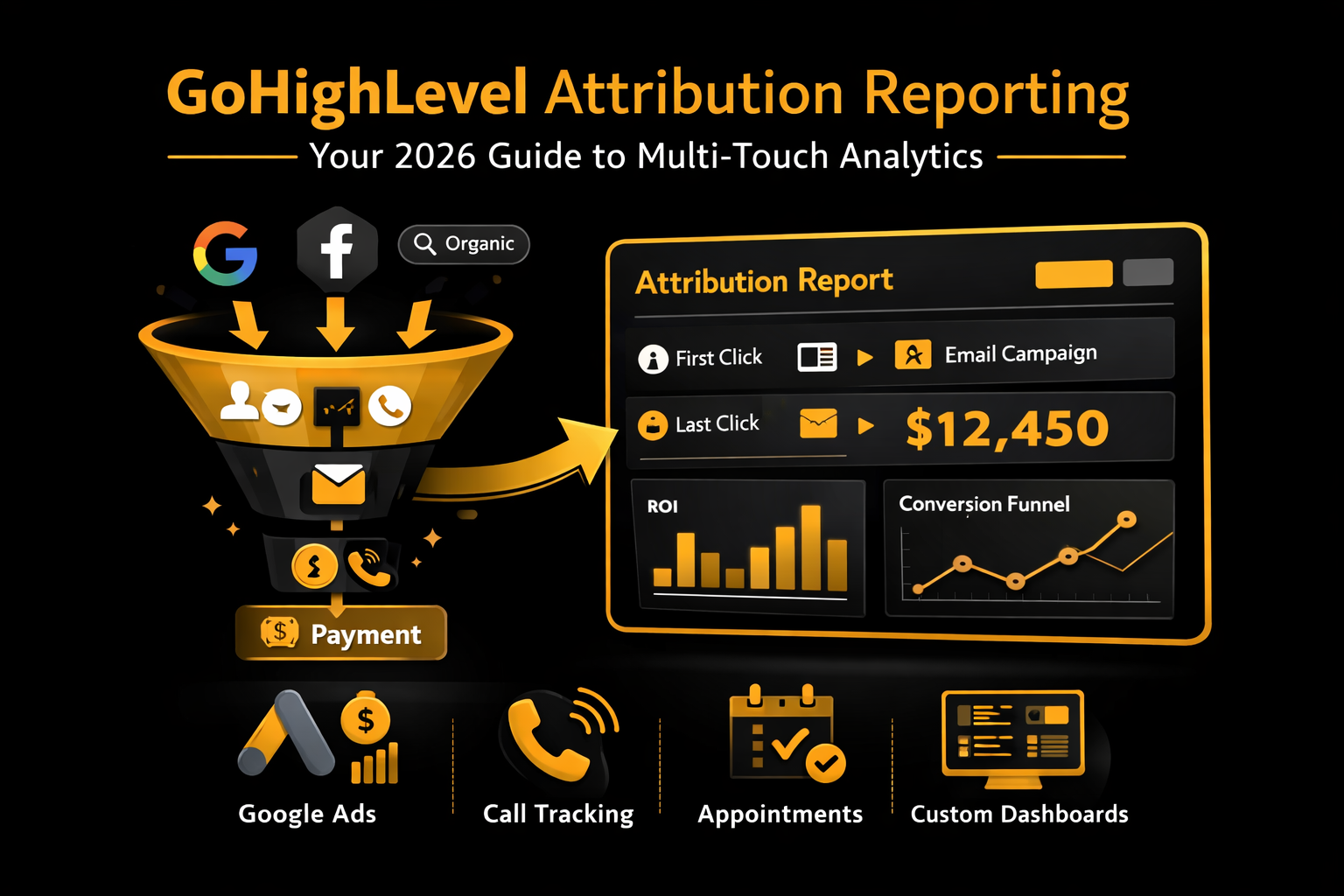
In 2026, GoHighLevel attribution reporting uses a multi-touch attribution model to track a customer’s journey from the first ad click to the final payment.
By navigating to Reporting > Attribution, businesses can see which campaigns, leads, and traffic sources (Google, Meta, Organic) are actually driving revenue. This allows for data-driven decisions that replace guesswork with logic.
Understanding the Logic of Data-Driven Decisions
In today’s fast-paced market, data is the only language that matters. Most marketers fail because they can’t tell which parts of their marketing are working. GoHighLevel attribution reporting solves this by connecting your CRM directly to your traffic sources.
At GHLLogic.com, we don’t just look at clicks. We analyze the logic of the conversion. For example, if a lead comes from a Facebook Ad but only closes after an automated email sequence, both touchpoints are credited as part of the success story.
Key Reporting Dashboards in GoHighLevel
To manage your business effectively, master the four pillars of GHL analytics:
| Dashboard | Core Logic | Best For |
|---|---|---|
| Google/Meta Ads | Tracks Spend vs. Revenue | Scaling paid campaigns |
| Attribution Report | Identifies “First” and “Last” touch | Understanding the customer journey |
| Call Reporting | Analyzes missed calls & duration | Training your sales team |
| Appointment Report | Tracks show rates & cancellations | Optimizing your calendar logic |
Learn more about GHL reporting dashboards to streamline your workflow.
Step-by-Step Logic: Setting Up Your Attribution
Accurate reporting starts with a clean data flow. Follow these steps:
Integration Handshake
Go to Settings > Integrations and connect your Google and Meta accounts.
UTM Parameter Logic
Always use UTM parameters in your campaign links (e.g., ?utm_source=fb_ad&utm_campaign=winter_sale).
Defining the “Conversion” Node
In the Reporting tab, define what a “Success” looks like: form submission, appointment booked, or payment made.
Advanced Feature: Custom Dashboards in 2026
GHL now offers Unlimited Custom Dashboards, letting you build unique views for:
Logic: Drag-and-drop widgets like “Pipeline Value,” “Conversion Rate,” and “Lead Source” to focus only on the metrics that matter. More guidance is available in the GoHighLevel Compliance & Archiving documentation.
Frequently Asked Questions (FAQs)
Q: What is the difference between “First Attribution” and “Latest Attribution”?
A: First Attribution shows how a customer originally found you (e.g., Google Search). Latest Attribution shows what finally made them buy (e.g., retargeting ad). Both are vital for your marketing strategy.
Q: Can I share these reports automatically with clients?
A: Yes. Use the Scheduled Reports feature to email PDFs or CSVs to stakeholders every Monday at 8 AM.
Q: Why does Google Ads data not match GHL reporting exactly?
A: Differences often arise due to “Attribution Windows.” Google may claim a sale up to 30 days later, while GHL prioritizes the “Last Touch.”
Learn more about GoHighLevel support for reporting issues.