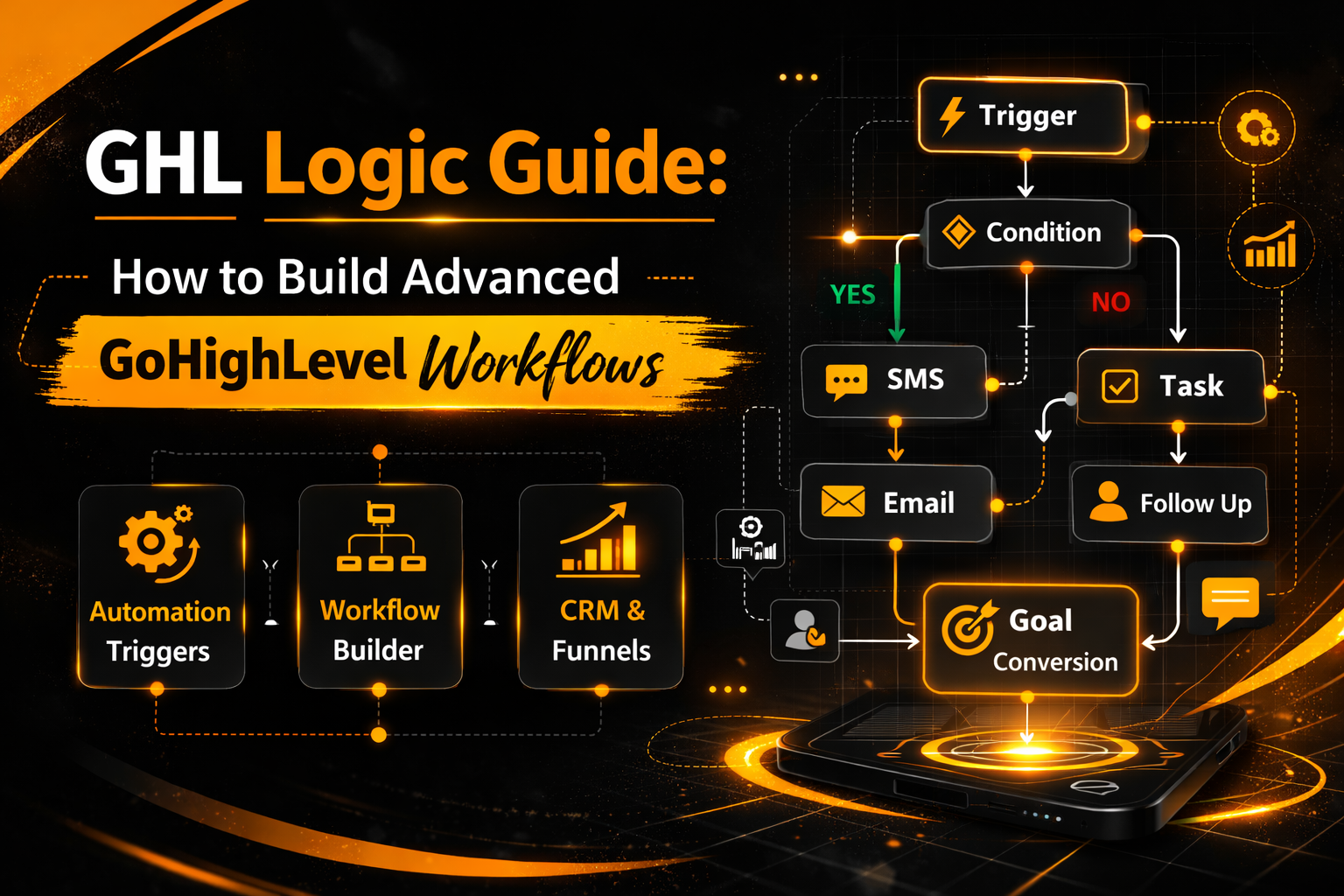
GHL Logic Guide: How to Build Advanced GoHighLevel Workflows
Do you want to turn your CRM into a “smart” employee that never sleeps? That is exactly what GHL Logic does.
In this guide, we will break down how GoHighLevel (GHL) uses “If/Else” branches and triggers to automate your business. You do not need to be a coder. You just need to understand how decisions are made.
What is GHL Logic?
GHL Logic is the “brain” inside your GoHighLevel account. It tells the system what to do when certain things happen.
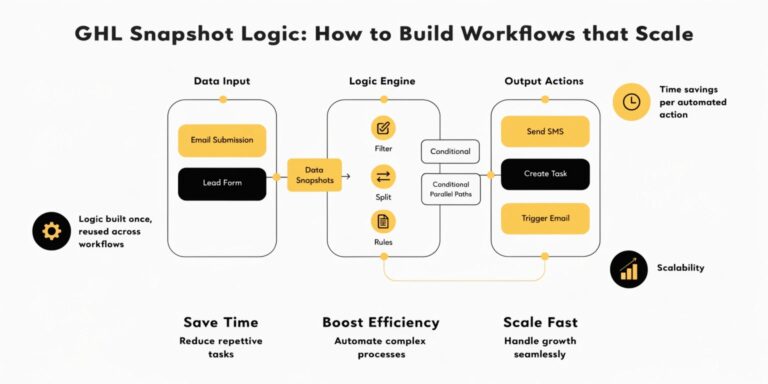
Think of it like a train track with switches. When a lead comes in, the “logic” decides which track the lead should follow based on their actions. For example, if a lead clicks a link, the logic sends them an SMS. If they do not click, the logic waits two days and sends an email.
Why Logic Matters for Your Agency
The Core Elements of GHL Logic
To master automation, you need to understand three main parts. These are the building blocks of every workflow.
The Trigger (The “When”)
This is the event that starts the logic. Without a trigger, nothing happens.
The If/Else Branch (The “Decision”)
This is where the magic happens. The system asks a question about the lead. It looks at the data you have collected.
The Action (The “Do”)
This is the final step. It is what GHL actually does after the decision is made.
Read this: The Ultimate Guide to GoHighLevel API Documentation for Custom Builds
Comparison: Basic Workflows vs. Advanced GHL Logic
Most people use basic workflows that go in a straight line. But top 1% agencies use Advanced Logic to create a personalized experience.
| Feature | Basic Workflow | Advanced GHL Logic |
| Pathways | Only 1 straight line | Multiple branches (If/Else) |
| Personalization | Generic messages | Content based on user behavior |
| Efficiency | Good for simple tasks | Handles complex business models |
| Lead Quality | Treats all leads the same | Scores and filters leads automatically |
| Error Handling | None | Can “loop” back to fix mistakes |
How to Build Your First “If/Else” Branch in GHL
Building logic is easier than it looks. Follow these simple steps to set up your first “Smart Path.”
Create a New Workflow
Go to the Automations tab in your GHL sidebar. Click “Create Workflow” and start from scratch. Give it a clear name like “Lead Lead Sorting Logic.”
Add a Trigger
Choose “Form Submitted.” Select the specific form you want to track. This tells GHL, “Start watching this person now.”
Add the If/Else Action
Click the (+) icon below your trigger. Search for “If/Else.” This creates a fork in the road.
Define Your Segments
Tell GHL what to look for. You can filter by:
Build Your Paths
Advanced Logic Concepts: Custom Values and Math
Once you master If/Else, you can use Custom Values. These allow you to insert a lead’s name or a specific price into a message automatically.
You can even use Math Operators. For example, if a lead buys a $50 product, GHL Logic can add 50 points to their “Total Spend” field. This is how you build high-level loyalty programs inside a CRM.
Read this: Advanced GHL Reporting: Turning Analytics into Sales Logic
4 Expert Tips for GHL Logic Success
Troubleshooting: Why is My GHL Logic Not Working?
If your automation stops, don’t panic. Most errors are simple to fix.
Trigger Mismatch
The most common mistake is that the trigger does not match the lead’s action. If you set the trigger to “Survey Submitted” but the lead filled out a “Form,” the logic will not start.
Condition Too Strict
If you use “AND” logic, the lead must meet every rule. If you have 5 rules, and they only meet 4, they will go down the “No” path. Try using “OR” logic if you want to be more flexible.
The “Publish” Toggle
It sounds silly, but check the top right corner of your screen. If the workflow is in “Draft” mode, it is turned off. It must be in “Published” mode to work.
Real-World Use Cases for GHL Logic
Use Case A: The Real Estate “Buyer vs. Seller”
Use Case B: The SaaS “Churn Prevention”
Frequently Asked Questions (FAQs)
What is an “If/Else” branch in GHL?
It is a decision point in a workflow. It allows you to send leads down different paths based on information like their location, tags, or behavior.
Do I need to be a developer to use GHL Logic?
No. GHL uses a visual builder. It is “Drag and Drop.” If you can draw a flow chart on paper, you can build it in GHL.
Can I use GHL Logic for lead scoring?
Yes. You can use logic to add or subtract points from a contact based on their engagement. High-score leads can then be sent directly to your sales team.
What is the “Wait” step?
A “Wait” step pauses the logic. You can tell GHL to wait for 30 minutes, or wait until the lead replies to a text message before moving to the next branch.
Summary:
Mastering GHL Logic is the difference between having a simple database and having a powerful automation machine. By using triggers, branches, and actions, you can create a 24/7 sales team that never gets tired.
Start with one simple “If/Else” branch today. As you get comfortable, you will find that the possibilities are endless.